Introduction
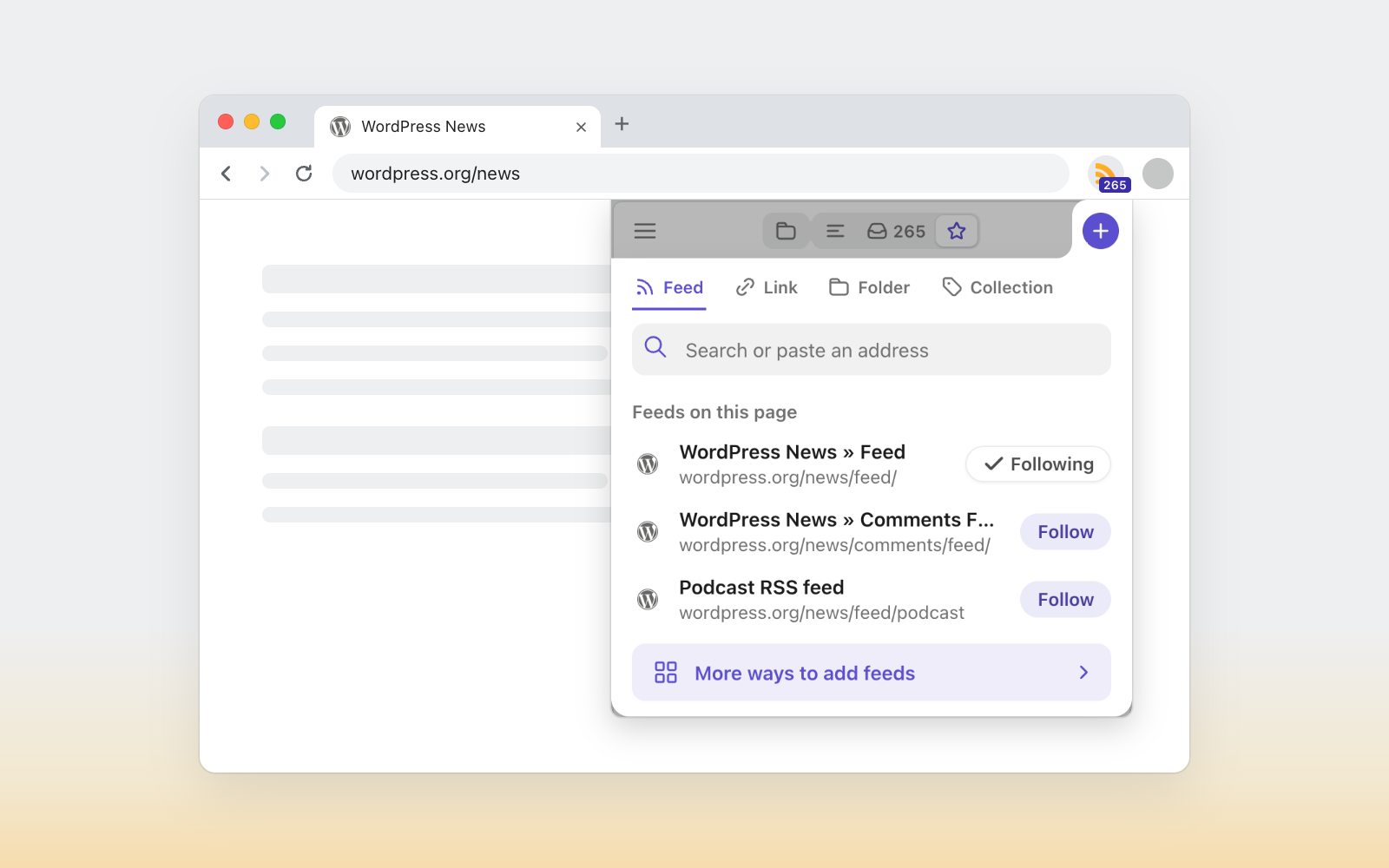
The Feeder browser extension just received a meaningful update to its popup interface. Instead of only displaying recent posts, the popup now serves as a control center where subscribers can add new sources, adjust existing ones, and tweak display preferences without switching tabs. The change responds to long-standing requests from users who wanted faster feed management directly from the extension.
What Happened
Feeder has expanded what the popup can do. A single plus button opens a sheet for following a feed on the current page, searching for new sources, saving a page as a link, or creating folders and collections. Choosing "Edit feeds" makes the post list slide down so users can rename feeds, move them between collections, unfollow sources, adjust update frequency, and manage rules. When finished, the list slides back up.
The popup also consolidates frequently changed settings onto one screen. Users can switch themes, adjust list density, enable desktop notifications for individual feeds, and control the unread count shown on the extension icon. Remaining settings remain accessible at feeder.co with one click.
New users can start following feeds immediately without creating an account. If they sign up later from the popup, their followed feeds carry over automatically.
Reading in the popup has been refined as well. Bars and rows now share a consistent height, search sits beside sort options, and the menu tucks away secondary controls to give posts more room. The updated popup arrives with the next extension version and installs automatically through the browser.
Why This Matters
Previously, managing an RSS subscription meant leaving the current page or opening the full Feeder website. By moving core tasks into the popup, Feeder reduces friction for people who follow many sources. The ability to edit update frequency, organize collections, and adjust notifications without opening a new tab makes daily feed maintenance faster and less disruptive.
Key Takeaways
- The Feeder popup now supports adding, editing, and organizing feeds without opening a new tab.
- A plus button handles new subscriptions, link saves, folders, and collections in one sheet.
- Edit mode lets users rename, move, unfollow, and reschedule feeds while managing collections and rules.
- Key settings like theme, density, notifications, and unread counts are available directly in the popup.
- Account-free following is supported, with feeds transferring automatically after signup.
- The reading layout has been streamlined to give posts more screen space.
- The update rolls out automatically with the next browser extension version.
Conclusion
This update turns the Feeder popup from a simple reading window into a practical feed management hub. Whether you are adding a source you just discovered or fine-tuning how often a favorite site refreshes, you can do it without leaving your current tab. Users with feedback or suggestions for the next version can reach the team at support@feeder.co.
Discussion
Join the conversation
Thoughtful reactions, questions, and follow-up ideas help shape the next story.